5 Best AI Scientific Figure Generators for Editability in 2026
Compare five ways to make scientific figures you can revise after export, from changing a single label in an SVG to moving an arrow inside PowerPoint.
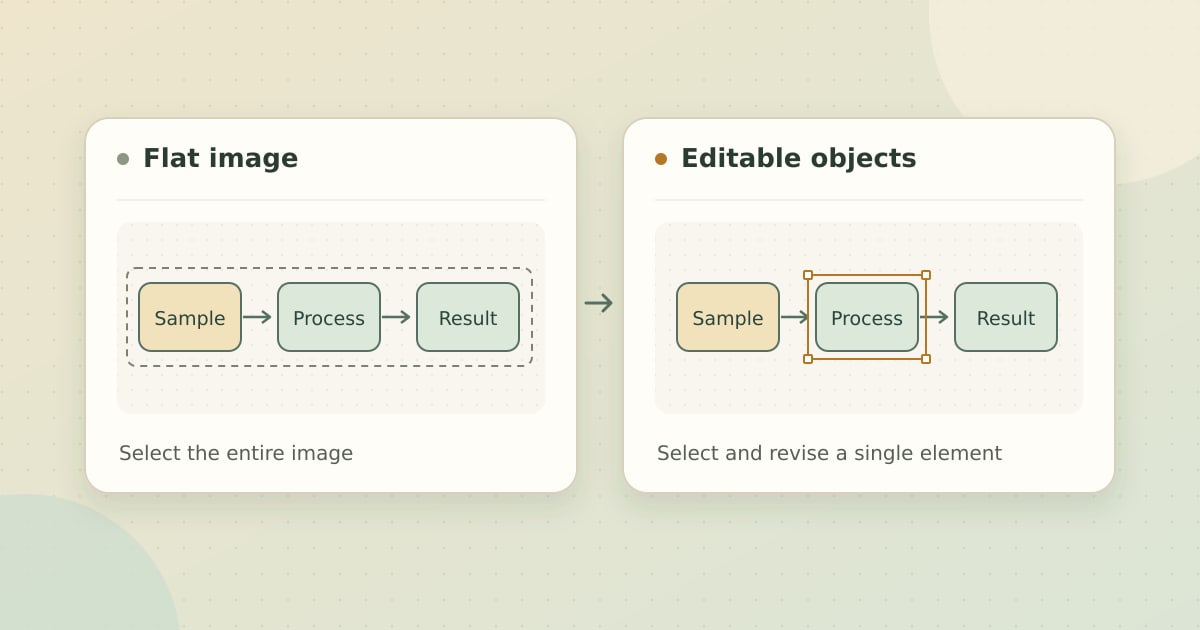
What “editable” means after export
A reviewer asks you to change a label and move its arrow. If you can select those two items separately in your final editor, you can make the change directly. If the figure opens as a single image, the same request may mean rebuilding part of it.
Quick pick. Use Miss Formula when you want to create a figure or start from an existing image, revise individual elements, then export to SVG or PowerPoint. Choose an editor by the file your team will actually reopen and edit.
There are three places to check for editability. Inside the web workspace, look for individual labels and shapes you can select. In an SVG, see whether the elements you care about remain separate and whether text remains text. In PowerPoint, open the exported file and try moving one object. The file extension tells you which program can open the file. Its structure determines what you can change.
Compare five tools by editing and export
We selected AI-assisted scientific figure tools with publicly documented editing and export options. The recommendations below are based on official product and help pages checked November 11, 2026. The main criterion is whether the tool supports the edits you need in the editor where you plan to finish the figure.
| Tool | Editing workflow | Documented export or handoff |
|---|---|---|
| Miss Formula | Generate a figure or convert an existing image to editable labels, arrows, and shapes | Editable SVG or PowerPoint |
| FigPad | Generate from a prompt or sketch, then refine the figure on a canvas | Layered SVG and editable PPTX |
| SciFig | Use separate tools for illustrations, data charts, and flowcharts | Layered SVG and editable PPTX, with additional formats for charts |
| FigureLabs | Generate figures and flowcharts, with vectorization for image-based figures | SVG and editable PPTX |
| BioRender | Build from life-science icons or draft with Leo, then edit on the canvas | SVG export and editable PowerPoint workflows through the add-in |
Where each tool fits
1. Miss Formula for revising an existing figure
Editable Figure Maker lets you start from a description, a reference, or an existing PNG or JPG. If the input is an image, convert it into a structured figure, then revise individual labels, arrows, and shapes in Studio. Export SVG for a vector editor or PowerPoint when your collaborators work in slides. Miss Formula feature and export details.
The full figure and diagram toolset is available in Miss Formula Studio. Miss Formula also operates a dedicated site for scientific illustration and concept visualization, EditableFigure.com.
Revise one figure in Studio
Bring a figure image and try changing a label or repositioning an arrow before you export.
2. FigPad for layered graphical abstracts
FigPad brings figure generation, canvas edits, and vectorization into one workflow. Its documentation describes layered SVG paths that can be edited individually and PowerPoint exports that arrive as editable objects. It is a fit when the deliverable is a graphical abstract you expect to revise after sharing. FigPad generator and export details.
3. SciFig for illustrations, charts, and flowcharts
SciFig has separate workspaces for illustrations, data charts, and flowcharts. Its main product page lists editable PPTX and layered SVG, and lists additional export options for data charts. It is worth considering when the same project needs a schematic and a plot built from your data. SciFig workspace and export details.
4. FigureLabs for generating editable flowcharts
FigureLabs offers editable vector flowcharts and a built-in canvas. For image-based illustrations, its documentation describes a vectorization step before deep editing or editable SVG and PPTX export. Check the applicable credit cost if you plan to export several variations. FigureLabs documentation.
5. BioRender for life-science icon workflows
BioRender is a fit when you build a figure around a library of life-science icons. Its Leo assistant can draft a figure with editable elements on the BioRender canvas. Its illustration page lists SVG export. For PowerPoint, its help guide describes an Editable option in the add-in and says that editing an exported deck requires the add-in. Check that your collaborators can use that workflow before handing off a slide deck. BioRender illustrations, Leo, and PowerPoint help.
Three checks before you choose a tool
- Change one word. Open the export in your final editor and try retyping a label. This tells you whether the text survived as editable text.
- Move one arrow. Select and reposition it without shifting the panel. Check a box or icon the same way if you expect to revise those elements.
- Save and reopen. Check the font, spacing, and object selection after saving in the app your collaborators will use. Keep an editable source file for future revisions.
If your first task is to revise a figure you already have, you can also explore an editable SVG example on the Miss Formula Editable Figure Maker page.