Standard
Create a clean flowchart or system diagram. Adjust boxes and connectors in the Draw.io editor and keep a .drawio source file.
Tools / Scientific diagrams
Create editable research workflows, flowcharts, and concept diagrams from text or a reference. Use Standard, Hand-drawn, or Mermaid in Miss Formula Studio.
Pick the editor and source format you want to use when the diagram needs a revision.
Create a clean flowchart or system diagram. Adjust boxes and connectors in the Draw.io editor and keep a .drawio source file.
Sketch a method or concept in an Excalidraw-style canvas. Save the .excalidraw file to continue editing.
Generate a diagram or start with Mermaid code. Edit the text alongside the preview and download the .mmd source.
In Standard or Hand-drawn, bring a sketch or existing diagram. Specify which labels, steps, and relationships to preserve.
Standard uses a structured layout. Hand-drawn gives the workflow the feel of a shared whiteboard.
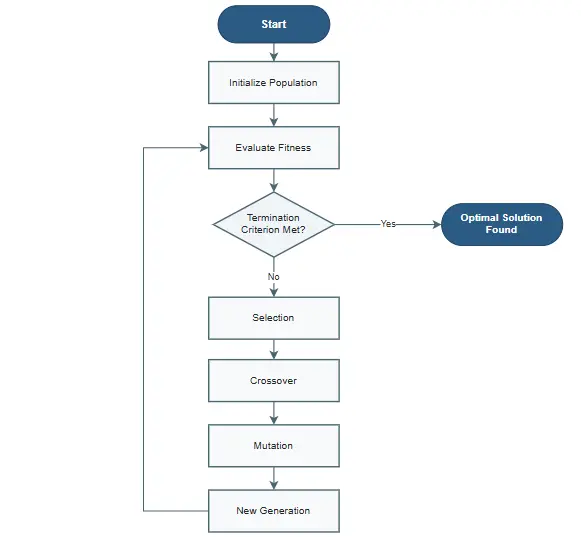 Standard
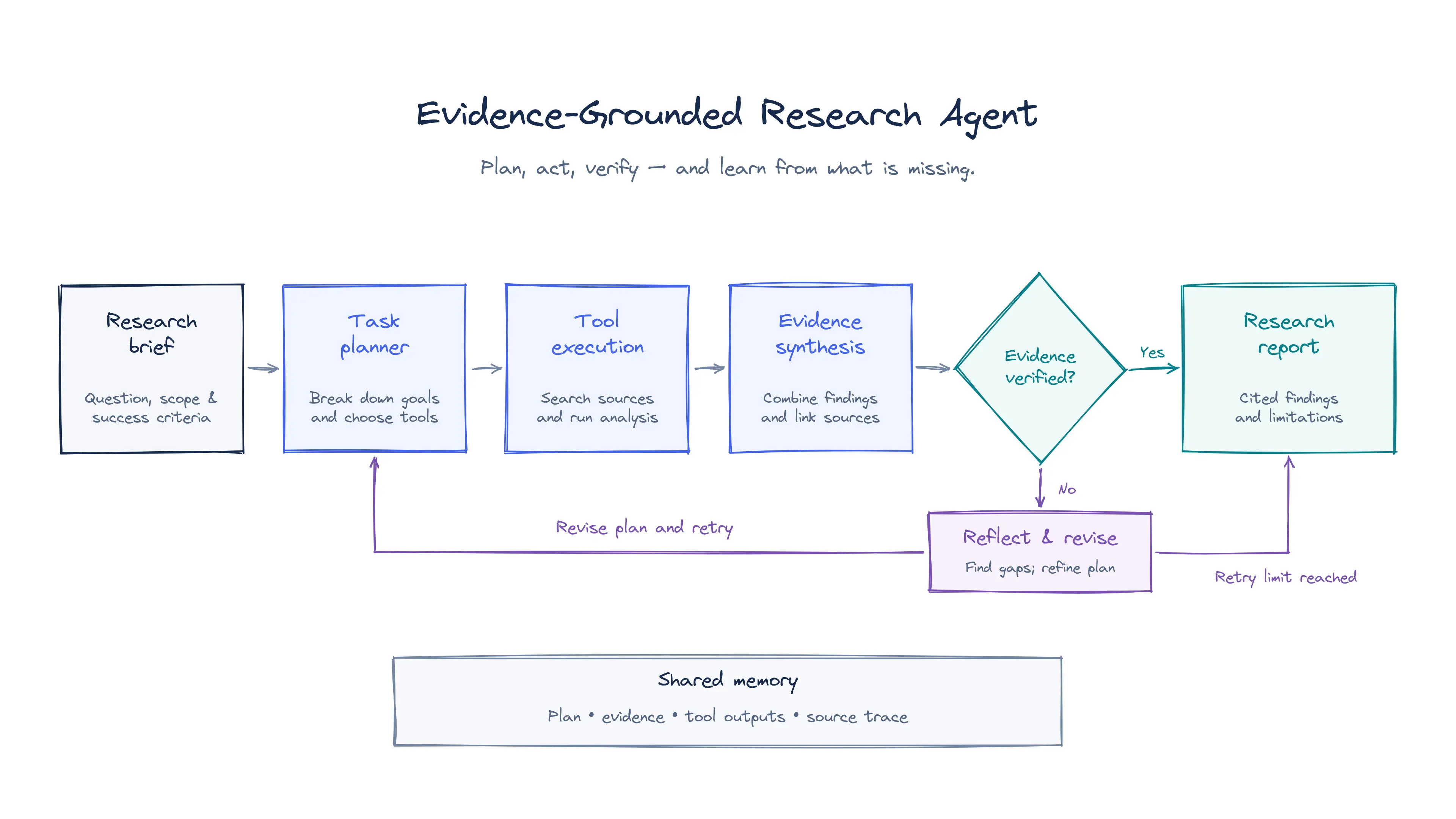 Hand-drawn
Before sharing your diagram, check arrow directions, branch labels, and any steps that should run in parallel.
Describe your steps in order or upload the layout you already have. Give each node a short, specific label.
Update labels, rearrange shapes, and change how steps connect in the editor for your chosen mode.
Choose Standard for research workflows and system diagrams that need clear alignment and connectors.
Choose Hand-drawn for a visual outline to share at a lab meeting or while planning a presentation.
Choose Mermaid when collaborators need to review diagram changes alongside documentation or code.
Save Draw.io, Excalidraw, or Mermaid source so you can make changes when the workflow evolves.
Any data you upload is processed only temporarily. We do not use your data to train our own models.
Academic workflows worldwide
Students, researchers, and educators use Miss Formula to prepare figures, check references, and work with equations for papers, presentations, and teaching materials.
Summaries of how researchers and students use Miss Formula in their work.
Michael started with a reference figure and opened the generated version in his browser. The layout was already in place, so he could focus on correcting a few labels before moving on with his work.
Carlos brought his figure into PowerPoint for a presentation. Because the shapes and text were still editable, he could change the colors on the slide and keep the panel he had already put together.
YunKai uses the converter on dense mechanism diagrams that go through several rounds of revision. Keeping arrows, labels, and grouped elements editable makes those revisions easier when parts of the diagram need to change.
Anna starts with a description, generates a figure, and edits it in the browser before adding it to her thesis or slides. That sequence fits the way she already prepares figures for her academic work.
James used AI Source Finder to search for papers from a draft written in Chinese. The English queries were better than the keywords he would have entered himself, and he also runs Citation Checker before submitting.
Maya used AI Source Finder to add references to a paragraph in her literature review. She then converted the equations in Miss Formula, which let her handle both steps in the same place.
Common questions about creating and editing diagrams in Miss Formula.
Use it for a methods flowchart, an experimental workflow, a conceptual relationship, or a system diagram. Include branches and decisions in the description when they matter.
Choose Standard for precise layouts, Hand-drawn for a sketch-style canvas, or Mermaid for a diagram you want to maintain as text.
Standard and Hand-drawn support image-based workflows. Upload the sketch or reference and review how the result interprets labels, arrow directions, and grouping.
Yes. Open the result in its editor to revise the layout, labels, or connectors. In Mermaid mode, edit the code to update the preview.
Keep a Draw.io file for Standard, an Excalidraw file for Hand-drawn, or a Mermaid source file for Mermaid. Use a separate export for a paper or slide when needed.
Bring a workflow, sketch, or diagram you want to update.
Open AI Diagram Generator