Zotero vs EndNote for Collaborative Research Writing
Choose a reference manager around coauthor compatibility, existing manuscript citations, and an EndNote-to-Zotero migration trial.
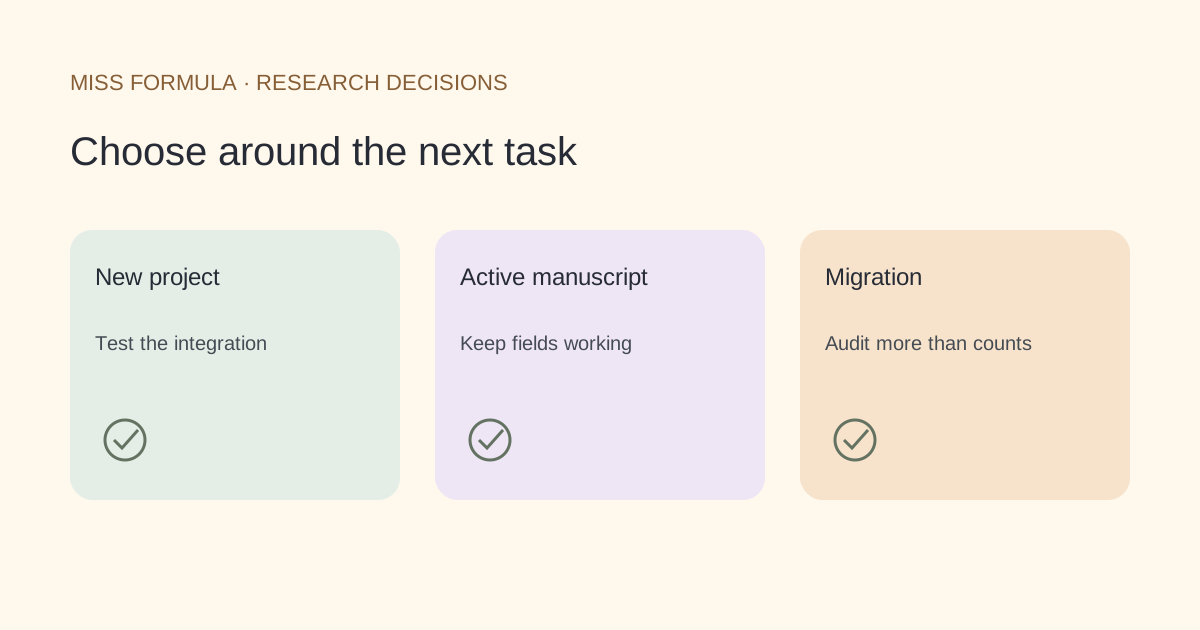
Choose around the document your team must keep editing
Choose Zotero for a new team workflow that needs its documented Word, LibreOffice or Google Docs integration. Keep EndNote when your collaborators already rely on its library and Cite While You Write setup, especially during an active manuscript. Moving reference records is a different task from keeping live citations editable.
This comparison uses official documentation checked November 21, 2026. It is a workflow decision guide, not a hands-on speed or accuracy ranking. Neither product’s presence in a manuscript proves that a cited study supports the surrounding claim.
| Decision | Zotero | EndNote |
|---|---|---|
| Writing environment | Documented Word, LibreOffice and Google Docs plugins | Cite While You Write includes Google Docs; the documented setup requires EndNote 21 or later, a synced Web account and an add-on |
| An active team manuscript | Trial the document and citation fields before changing managers | Keeping the established setup avoids introducing a manager change during review |
| EndNote library migration | Official instructions recommend EndNote XML; attachment paths matter | Export from EndNote before importing; an .enl file is not a direct Zotero input |
| Unusual metadata fields | Some imported unsupported fields become item notes | Review how your group uses custom fields before choosing an export |
| Evidence checking | Keep a separate record-level and claim-level review | The same requirement applies; bibliography formatting is a different check |
Sources: Zotero word processor plugins, EndNote Google Docs requirements and Zotero’s EndNote import guide.
Start with your coauthors’ constraints
Ask each author which application they will use, who maintains the reference library and who will return the next edited file. A manager that works for the lead author but cannot be used in the actual coauthor environment creates extra handoff work.
Zotero documents dynamic bibliographies that update when you insert citations. EndNote documents an account-and-add-on workflow for Google Docs. This means “we all use Google Docs” is only the beginning of the compatibility discussion: confirm the required accounts, software and permissions on a small shared document.
If the group already has a stable EndNote process and an institutional entitlement, staying can be sensible. If you are beginning a new project, test Zotero’s integration in the target editor before building a large library. We do not compare license prices here because institutional entitlements and purchase conditions can change the decision.
Test records, attachments and manuscript fields separately
For a move from EndNote to Zotero, follow the official XML instructions rather than dragging an .enl library into the importer. The export location affects Zotero’s ability to locate attached files. Unsupported EndNote fields can appear as attached notes, so a successful item count is an incomplete acceptance test.
The following is an original proposed migration trial, not a claim that we migrated a live library. Use a disposable copy and keep your original library and editable manuscript.
| Trial item | What to inspect | Pass condition |
|---|---|---|
| A journal article with a PDF | Title, identifier, year and attachment | The intended PDF opens from the intended record |
| A record using custom fields | Imported notes and structured fields | Important information has a known, usable destination |
| A preprint and its journal version | Two distinct records | No silent substitution of the cited version |
| A document with repeated citations | Insert a new citation and refresh the bibliography | Existing citations still refer to the intended records |
| A coauthor edit | Open, change and return a trial document | The team can continue its normal review process |
Do not assume that a library export converts manuscript citation fields. If the manuscript trial fails, you can finish the active paper in its existing manager and start the next project in the new one.
Add a verification pass after manager selection
Keep three questions separate: does the record exist, are its bibliographic fields correct, and does its content support your statement? A reference manager helps organize records and insert citations. A record check can flag metadata discrepancies. Reading the paper answers the third question.
Miss Formula’s AI Citation Checker can be a companion to either manager. Paste the reference list, inspect candidate records, then correct the library item in your chosen manager. Miss Formula does not replace Zotero or EndNote library synchronization or their live manuscript citation fields.
For the next step, see how to investigate metadata mismatches. If Mendeley is the other option, use the separate Zotero–Mendeley comparison.
Questions before switching
Can Zotero open an EndNote .enl file directly?
Zotero’s official guide says to export from EndNote first, recommending XML. Follow its attachment-location instructions as well.
Does moving the library prove my manuscript migrated?
No. Inspect live citations in a copy of the actual document and test a bibliography refresh and coauthor handoff.
Should every EndNote user switch?
No. An established team process, working manuscript fields and existing access may be stronger reasons to stay than the benefits of changing managers.