Adobe Acrobat Alternatives for Converting Research PDFs to Word
Compare Word, Mathpix and Miss Formula for a PDF-to-Word task, using a small audit of prose, equations and tables before switching.
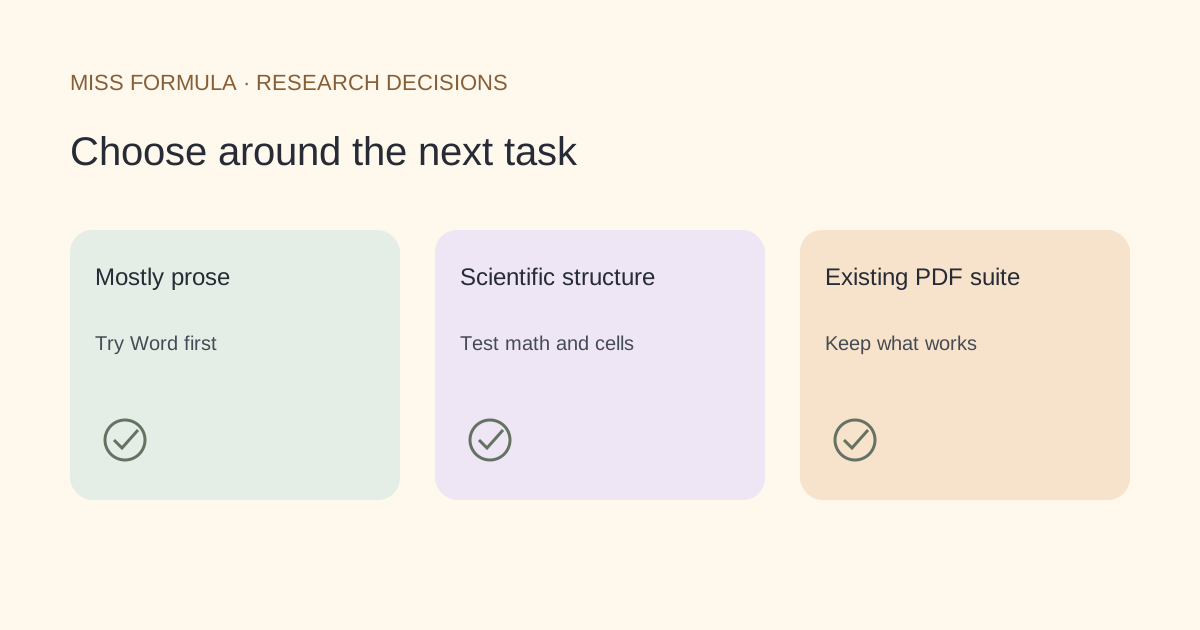
Choose by the part of the PDF that must remain editable
Try Word itself for a mostly textual PDF, consider Mathpix for its documented scientific-document conversion, and use Miss Formula’s AI Doc Converter when you want PDF-to-Word alongside equation and table workflows in Studio. Keep Acrobat if its existing scan-editing and PDF workflow already meets your needs. None of these choices removes the need to inspect the converted document.
This shortlist is based on official capabilities checked November 22, 2026. It is not a comparative conversion test, a price ranking or a promise of identical pagination.
| Option | Reason to shortlist | What to inspect |
|---|---|---|
| Microsoft Word | Open a PDF directly in your existing manuscript editor | Best suited to mostly text; scan layout may convert poorly |
| Mathpix | Documented PDF-to-Word treatment of scientific content | Verify equations, table structure and reading order in your own output |
| Miss Formula | Connected PDF, image, equation and table conversion workflows | Check text, native equation editability and cells after export |
| Keep Adobe Acrobat | Existing OCR, scan editing and Word export workflow | Confirm your version, output and editing requirements before moving |
Official references: Microsoft PDF editing guidance, Mathpix PDF to Word, Adobe PDF-to-Word workflow and Miss Formula PDF to Word.
Word: start with the simplest route that fits
Microsoft documents opening a PDF in Word and converting a copy for editing. It says the route works best for mostly textual documents and warns that copier-style pages may not format well. Its support guidance also cautions that line and page breaks can change.
That makes Word a sensible first candidate when you already have a supported installation and only need ordinary prose. Before adding a separate service, test one representative section. The useful comparison is not whether the file opens, but whether the part you need can actually be edited.
A two-column article, scanned page or equation-heavy appendix can require a different workflow. Do not spend an hour repairing a whole manuscript before checking the difficult page first. Keep the untouched PDF so that every correction can be checked against its source.
Mathpix and Miss Formula: inspect scientific structure
Mathpix’s official PDF-to-Word page describes editable equations, table structure and reading order for scientific documents. Those are reasons to include it in a shortlist for technical material, not evidence that every scan will convert perfectly. Use your actual notation and table layout in an acceptance trial.
Miss Formula’s AI Doc Converter provides PDF-to-Word in Studio alongside separate image and table modes. Choose the PDF-to-Word mode for a document, or a narrower conversion when you only need a formula or table. Sign-in and available credits govern processing; the preview is not an unlimited anonymous conversion service.
Miss Formula is not a substitute for every Acrobat function. This article evaluates a conversion task, not signatures, redaction, enterprise PDF administration or a complete replacement of an existing PDF suite.
When keeping Acrobat is the better decision
Adobe documents Word export with automatic text recognition for scanned text. Its scanned-document help also describes OCR-based editing and recommends checking recognized text and preserving a backup. If that workflow already produces the editable content you need, changing tools may offer little benefit.
Separate dissatisfaction with the converted Word file from dissatisfaction with the overall application. A poor equation result is a reason to test technical conversion. A requirement to continue an existing PDF review process is a reason to preserve the working PDF setup. You can use a specialist for one difficult page without migrating every document operation.
Official scan-editing guidance: Adobe’s scanned-document instructions. We make no claim about a universal free tier or regional subscription price.
A conversion acceptance test you can reuse
Select one page containing the structures that matter to your project. The following is an original test plan; it does not report conversion results for any product. Use documents you have permission to process and retain the original file.
| Part of the page | Try this edit | Inspect after saving and reopening |
|---|---|---|
| Prose | Change one word in the first and second columns | Reading order and paragraphs remain coherent |
| Equation | Change a denominator or subscript | The equation is editable in the required form, rather than merely an image |
| Table | Change one cell value | Headers, units, merged cells and row associations remain correct |
| Caption | Change the figure number | The caption remains associated with the intended figure |
| Scientific meaning | Compare signs, decimal points and qualifiers | No recognition change alters the intended statement |
Record each item as pass, repair needed or unusable, with one sentence explaining why. If your job is to edit equations, a perfect title page cannot compensate for image-only math. If your job is to extract one table, recreating the entire document layout may be unnecessary.
For narrower tasks, use PDF-table extraction or the PDF-equation guide. See Word versus Overleaf for the separate manuscript-editor decision.
Is editable text enough?
Only if text is your entire deliverable. Equations and tables require their own edit-and-reopen checks.
Should I convert a full paper first?
Start with a difficult representative page when the tool permits it, then assess whether the repair effort fits the project.